HEAT Capture
HEAT Capture runs on an operator workstation next to your simulator. It loads capture modules, records a capture session, buffers everything to local disk first, and streams the data to your HEAT platform instance. If the network drops, capture continues and the buffered data is delivered later.
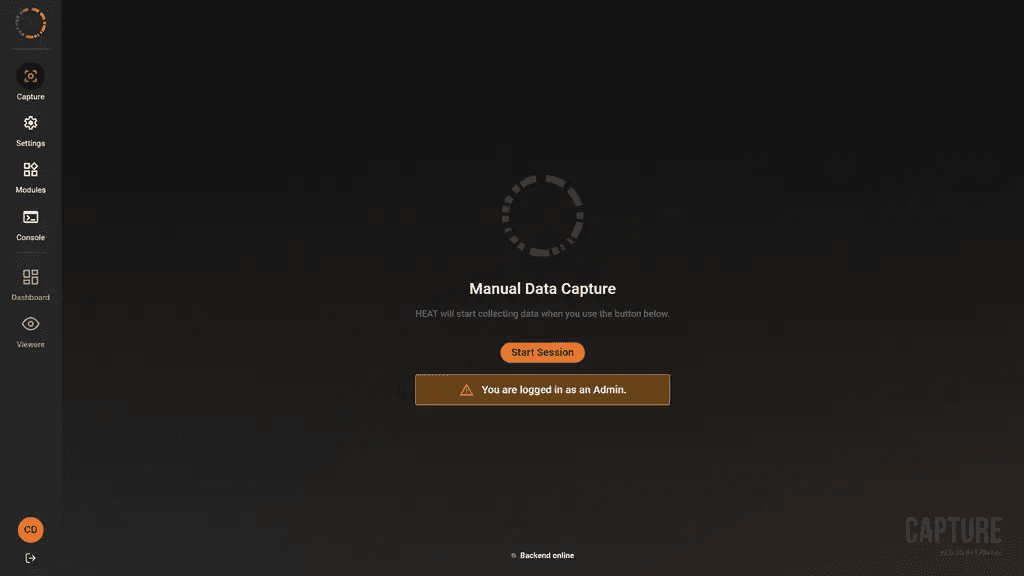
The Capture page, the application’s home screen, ready to start a manual session.
What it does
- Runs capture modules, each in its own child process, so a failing module cannot take the application down.
- Records a session against your HEAT platform, or accepts frames published by a HEAT Capture Plugin running inside a simulator.
- Writes every packet to local disk before delivery, and replays anything undelivered on the next launch.
- Stops capture rather than losing data silently when the disk runs low or the internal queue fills.
What you need
- Windows on x64. The installer refuses any other architecture.
- Microsoft Edge WebView2 Runtime . The user interface will not display without it, and the installer does not install it for you.
- Administrator rights to install, because the installer writes to Program Files and to
HKEY_LOCAL_MACHINE. - At least 5 GiB free on the capture drive. Below that, capture will not start.
- A reachable HEAT platform instance, and an account on it.
- A VRAI-supplied
.hczconfiguration package for the modules and settings approved for your deployment. A Module Library token is only needed for self-service registry access.
The .NET runtime is included in the installer. You do not install it separately.
Limits
- Windows only, x64 only. There is no Linux, macOS or Arm build.
- The application is designed for an isolated on-premises network or a controlled LAN. Its embedded web interface and API must not be reachable from the internet. Most API endpoints perform no authentication, so the network boundary is the security boundary. See Web API.
- Pausing a session stops accepting new packets. Modules and plugins may keep producing data, but HEAT Capture neither stores nor delivers packets received during the pause. See Operate.
- Installing, updating or removing a module applies live and needs no application restart, but cannot be done while a session is active. See Modules.
- Old session directories are never deleted automatically. Reclaiming that disk space is a manual task. See Operate.
Pages
InstallRequirements, installation and verification.ConfigureEvery setting, its default and its effect.OperateSessions, disk safety and recovery.ModulesInstalling and trusting capture modules.Web APIREST and WebSocket surface for integrators.TroubleshootingSymptoms, causes and fixes.Interface control documentICD-CAPTUREAPP-001.
This documentation was verified against commit 170a1eca on main, which follows release
v2.0.34. Where a page states a default, that default was read from the source at that commit.
Opens your browser's print dialog. Choose "Save as PDF" as the destination.