Managing Users
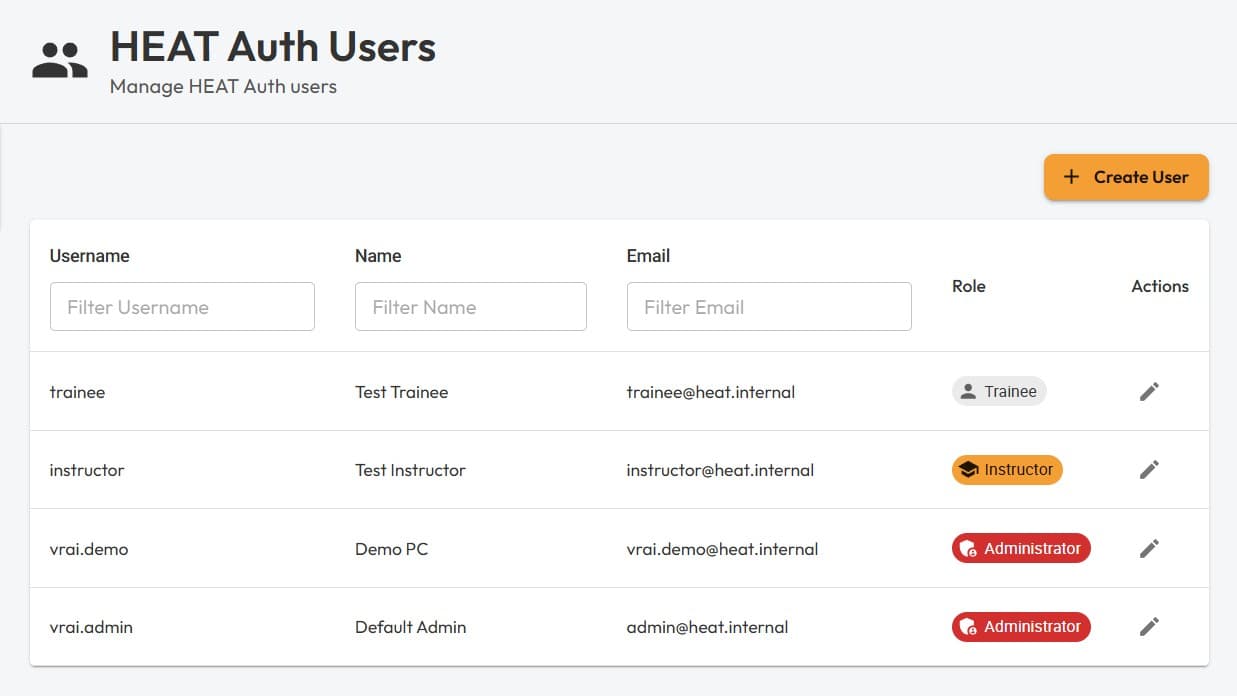
HEAT ships with an on-premises authentication system called HEAT Auth. If your environment includes HEAT Auth, you can manage users via the Cluster Manager UI at /main/identity/heat-auth-users.
This page covers how to list existing users, create new users, and how roles affect what users can access in HEAT.
User roles
HEAT Auth users are assigned one of three roles:
- Administrator: Can see everything in the Cluster Manager and dashboards.
- Instructor: Can see limited information in the Cluster Manager and all sessions.
- Trainee: Can only see sessions they are attributed to.
Listing users
Navigate to /main/identity/heat-auth-users to view all existing HEAT Auth users. You can filter by username, name, and email, and create a new user from the top-right action.
Creating a user
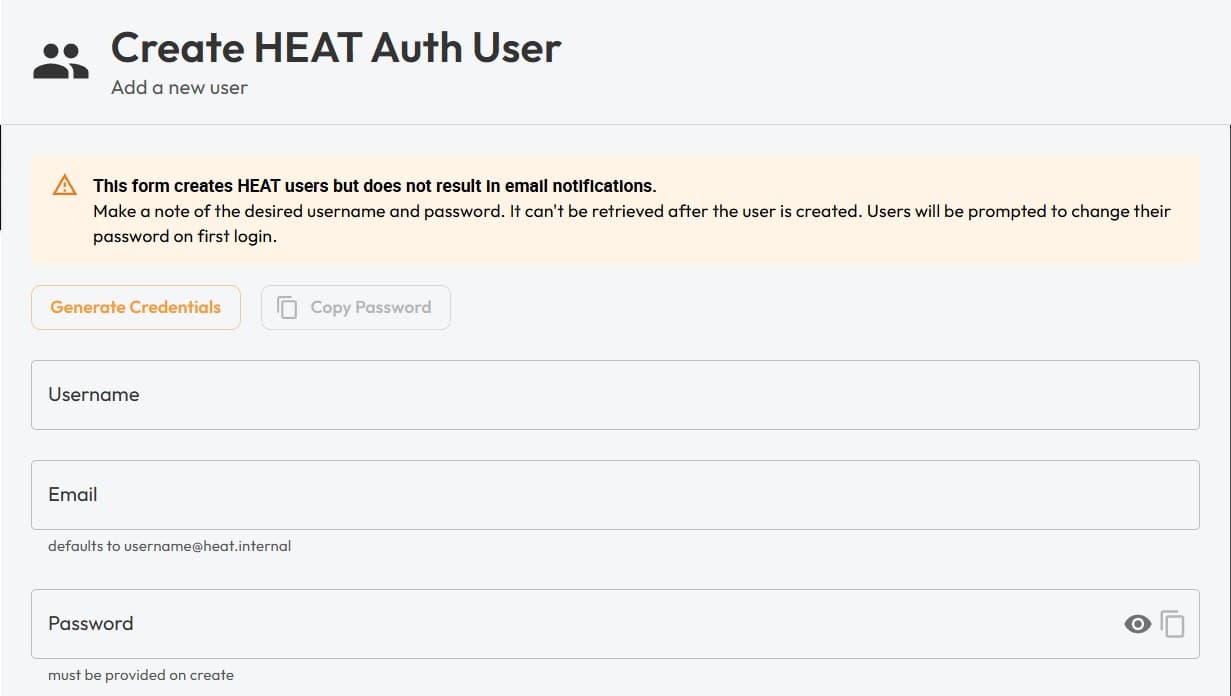
Click Create User to open the user creation form.
Credentials
When creating a user, it’s advised to first click Generate Credentials. This generates a strong 12-character alphanumeric password.
- Keep a copy of the generated password: it can’t be retrieved later, and there are no email notifications sent automatically.
- First login password change: on first sign-in, users will be prompted to change their password before continuing, for security.
Profile details (optional)
You can optionally provide additional details for the user:
- First name
- Last name
- Company
- Title